Conversational Room Creation
This case study contains confidential work and is password protected.
Don't have the password? Request access by email or on LinkedIn.
Conversational Room Creation
One conversational workflow, and a reusable pattern set, for creating bookable conference rooms, single or in bulk. Launching 2026.
Teams building on Amazon's assistant each reinvented their own confirmations, errors, and completion states, so it felt like many products stitched together. Using conference-room creation as the proving ground, I designed one workflow and, more importantly, a reusable pattern set any future workflow could adopt.
The problem
Amazonians seeking IT support hit inconsistent, fragmented self-service experiences across the assistant’s channels, because teams were building on it independently, without shared standards. Every new workflow reinvented its own confirmations, error states, and completion messages, so the assistant felt like many different products stitched together.
Using conference-room creation as the proving ground, the goal was to design one workflow, and a reusable pattern set behind it, that any future workflow could adopt.
Goals
For the business
- Establish shared standards: one UX and conversational-design guideline so every team ships a consistent experience.
- Deflect IT contacts: let Amazonians self-serve room creation, reducing operational cost and support-engineer effort.
- Build reusable patterns: interaction patterns this and future workflows can reuse, eliminating redundant design and engineering work.
For the user
- Complete the task in the assistant: create a bookable room end to end, no fragmented back-and-forth.
- Choose the right path: handle one room quickly in conversation, or many at once via a file.
- Recover from errors: clear, actionable guidance when a file or field is wrong, instead of dead ends.
Design principles
- Meet users where they are: support both conversational input and bulk file upload from the same entry point, whichever fits the request.
- Consistent by default: reuse the same conversational patterns, confirmation summary, and completion state across every path, so it feels like one product.
- No dead ends: when data can’t be read, guide the user to a fix (template or row-by-row correction) rather than failing the whole batch.
The solution
A single workflow with two paths off a shared entry point, wired together by consistent confirmation, error, and completion patterns.
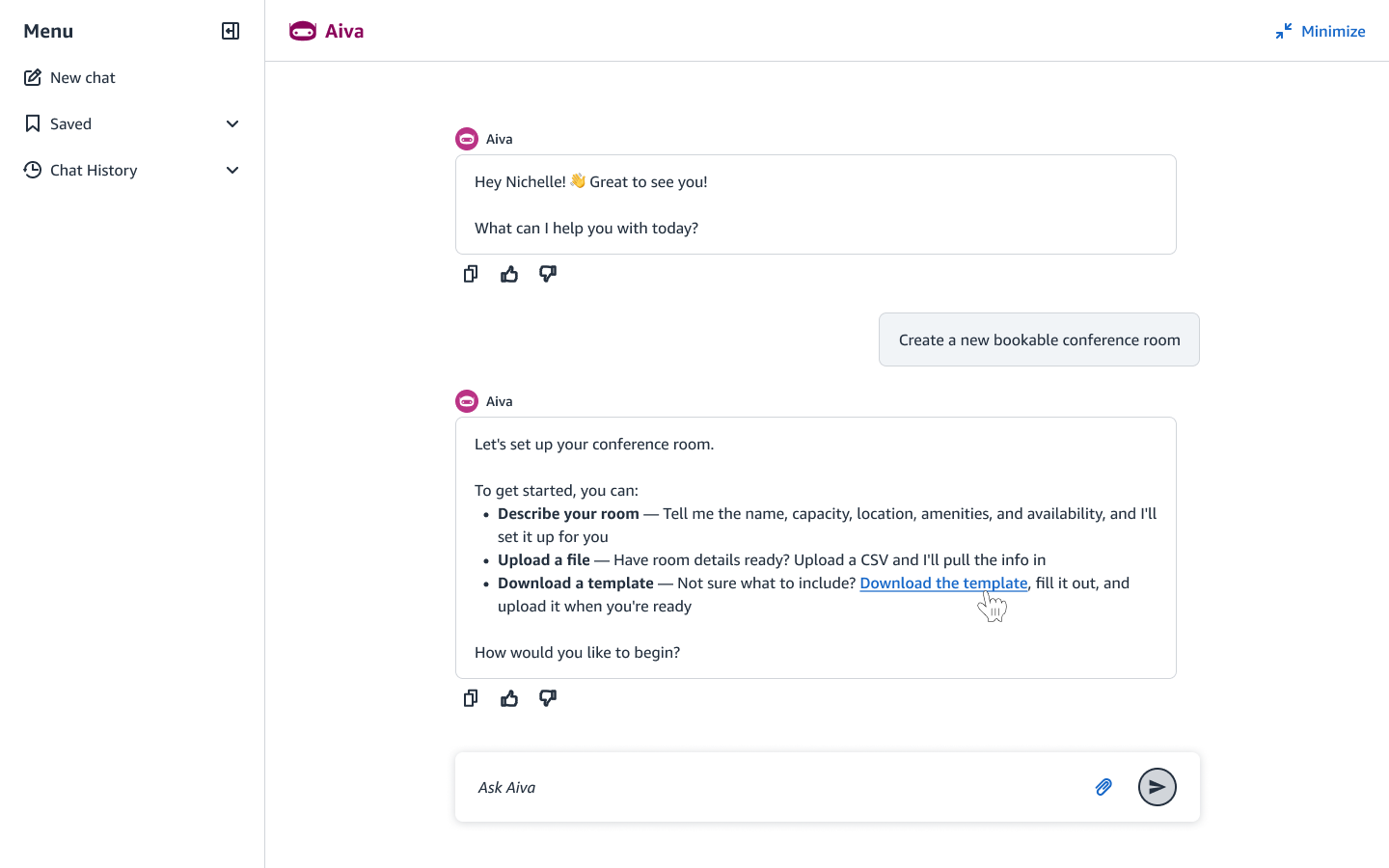
1. One entry point, three ways to begin
From a single prompt, the assistant offers three on-ramps: describe the room conversationally, upload a file for bulk creation, or download a template first. Meeting users where they are starts here: the fast path and the bulk path share one doorway.
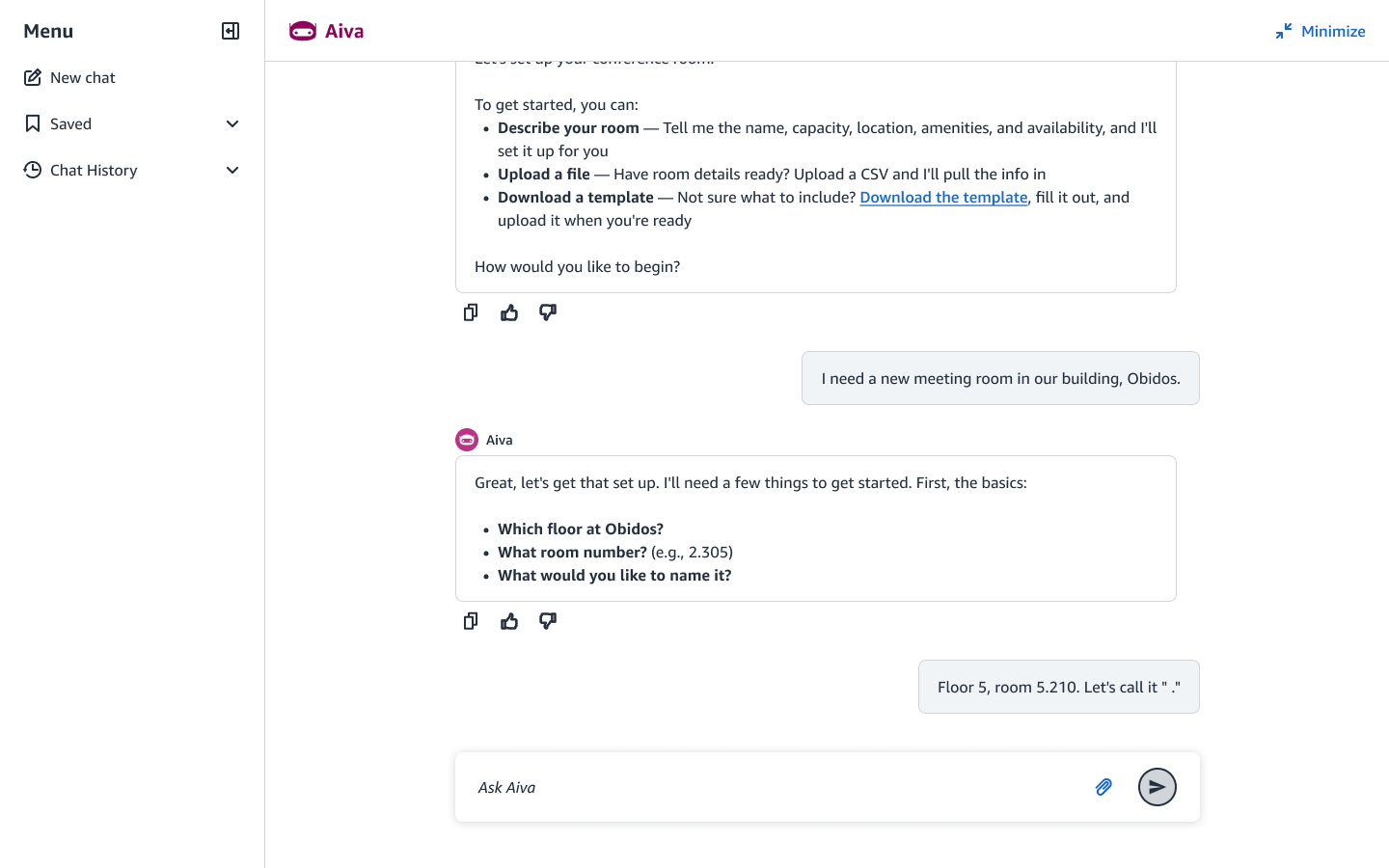
2. Single room: guided conversation
For one room, the assistant collects details in a friendly, chunked back-and-forth: the basics first (floor, room number, name), then specifics (restrictions, resource owner), never overwhelming the user with one giant form.
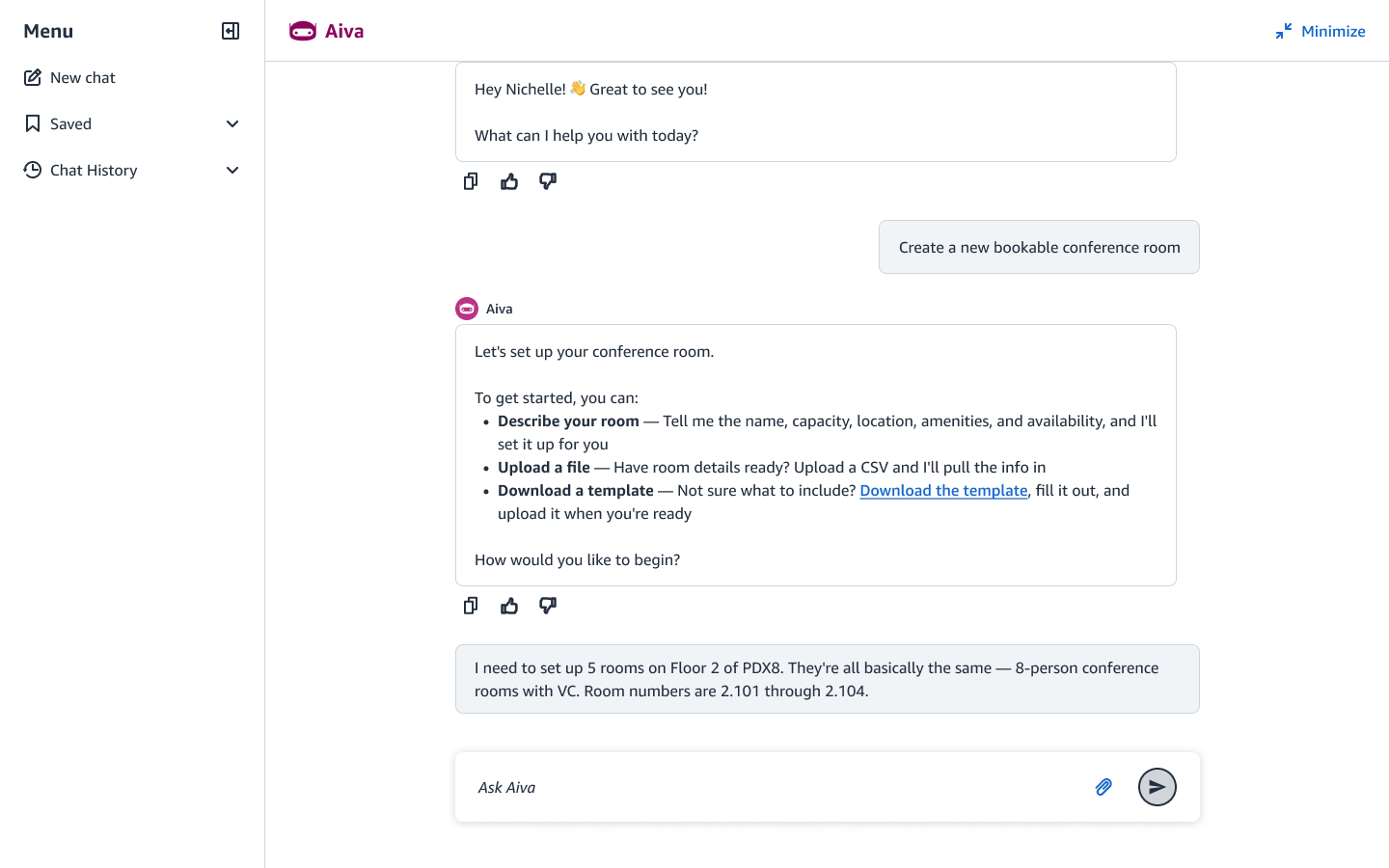
3. Many rooms: bulk by conversation
Bulk doesn’t have to mean a file. When a user describes several similar rooms at once, the assistant handles the batch conversationally, applying shared attributes across all of them.
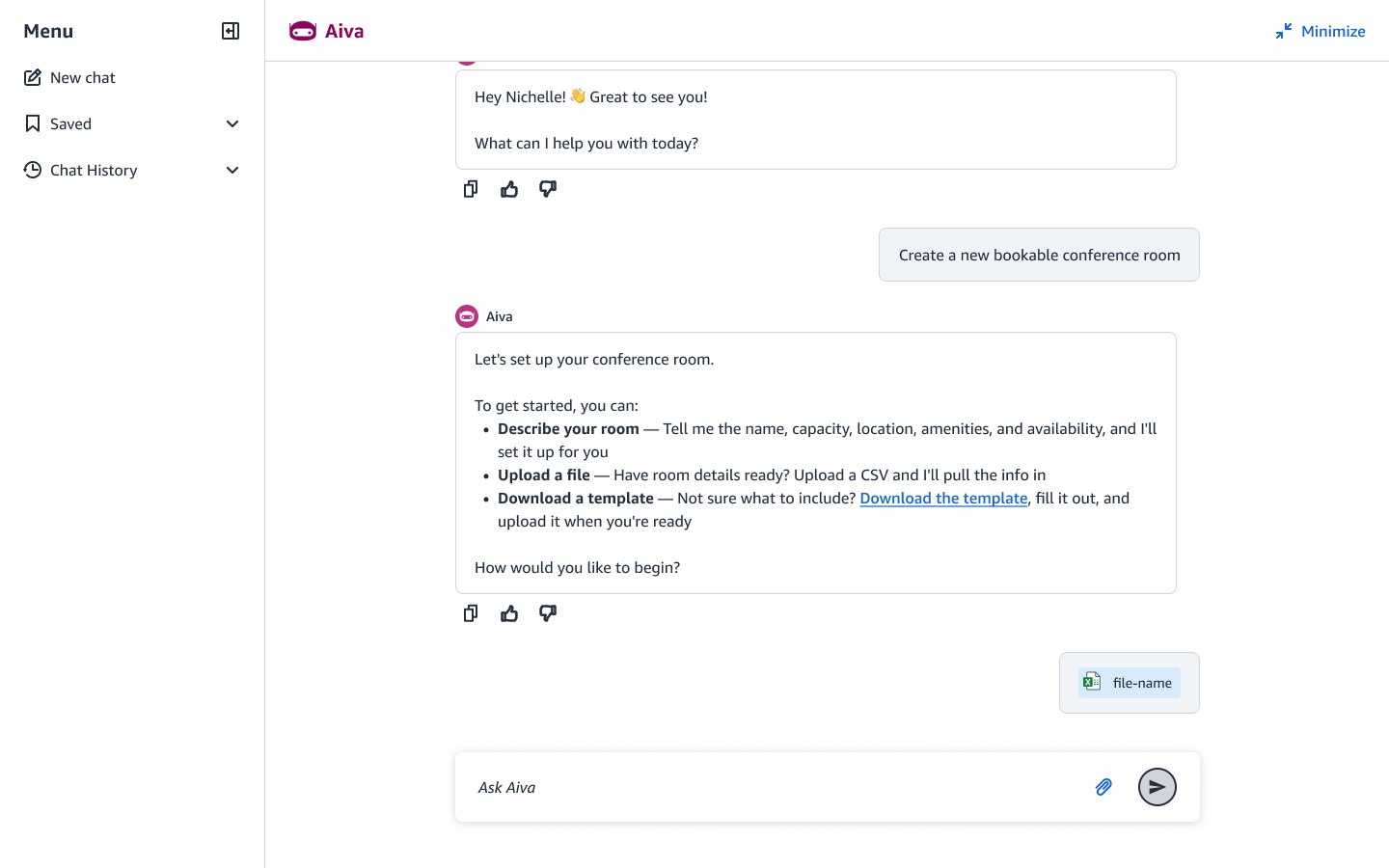
4. Many rooms: bulk upload by file
When the data already exists, the user uploads a populated CSV instead. A downloadable template ensures it arrives in a readable, parseable format, reducing errors before they happen.
5. Review & submit: validate before anything is created
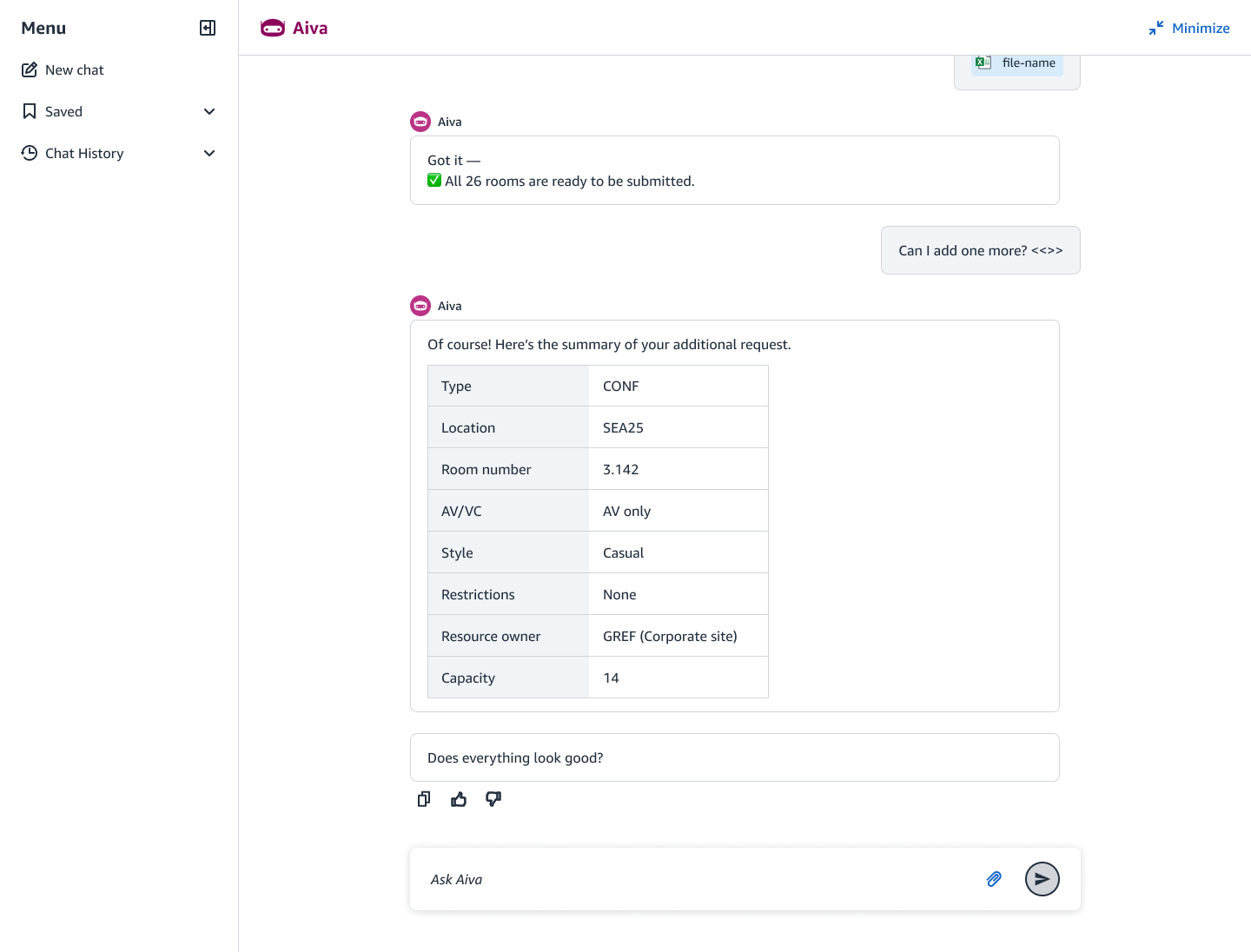
Before creating a single room, the assistant validates the batch and states the result plainly (“All 26 rooms are ready to be submitted”), then surfaces a clear summary and a single confirming action. The same summary-and-confirm pattern is reused across every path, so review always looks and behaves the same.
6. No dead ends: error handling that routes to a fix
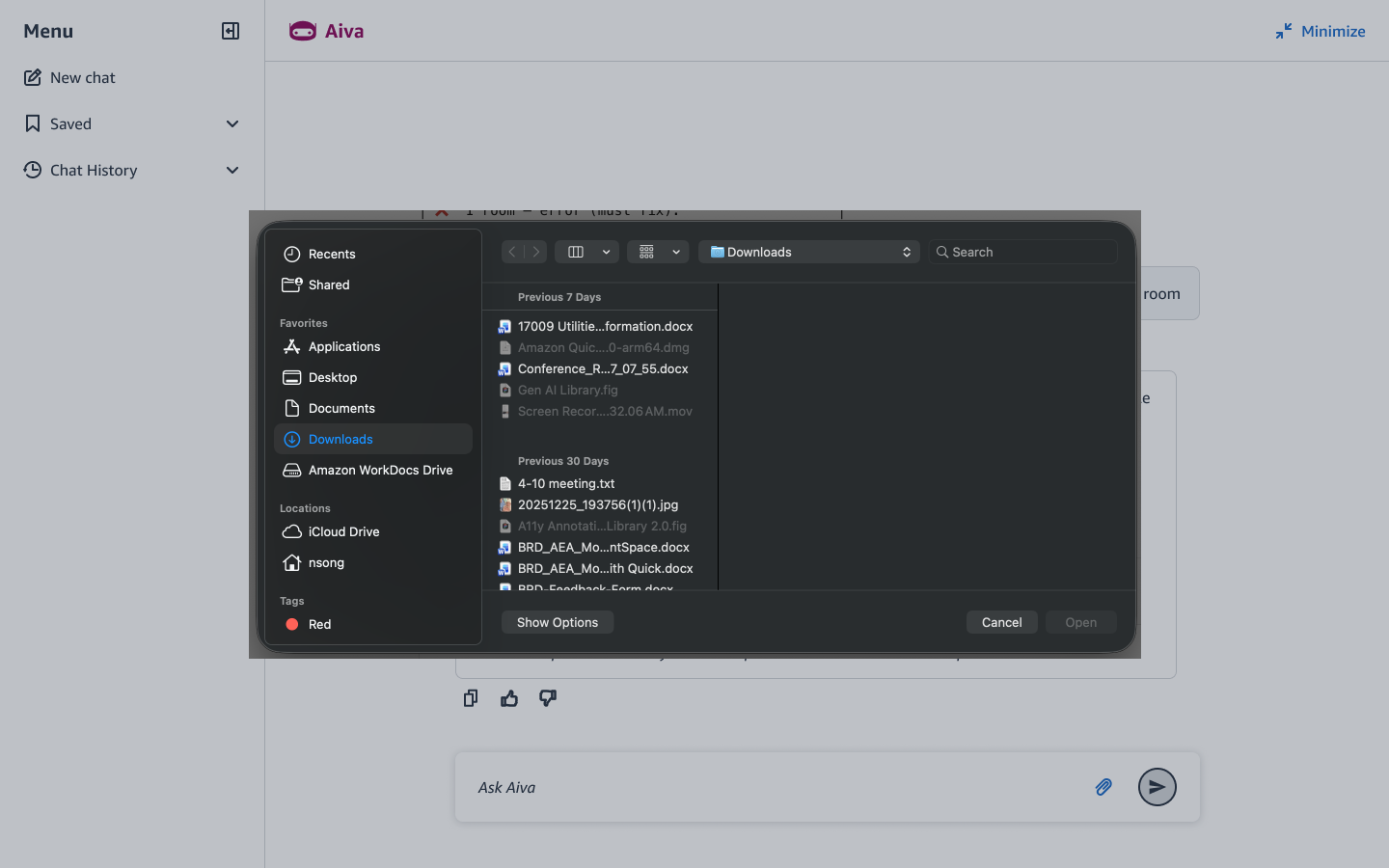
When a file can’t be read or a field is wrong, the assistant distinguishes an unreadable file from a bad value and routes each to the right fix (supply a readable file, or correct the specific row) instead of failing the whole batch and leaving the user stuck.
7. Close the loop: completion, delivered where they work
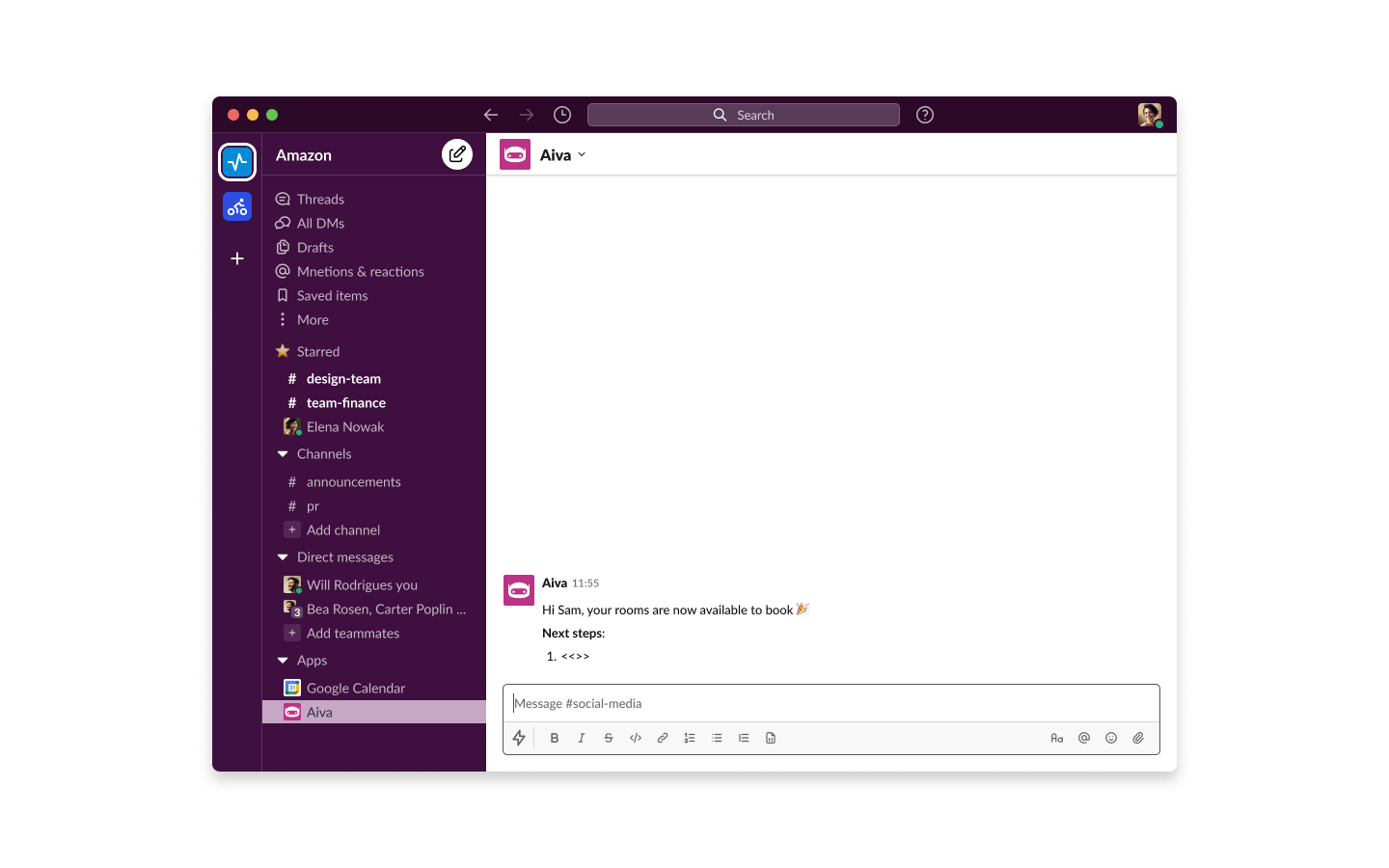
When the rooms are live, the assistant closes the loop with a friendly completion state and an optional Slack notification, so the confirmation reaches the user where they already are, not just inside the chat.
Design decisions worth calling out
- One workflow, one pattern set. The real deliverable wasn’t just this flow; it was the reusable confirmation, error, and completion patterns underneath it that future workflows inherit.
- Two paths, one doorway. Single-room and bulk creation share an entry point and a review-and-submit pattern, so the experience reads as one product regardless of scale.
- Validation before creation. The batch is checked and summarized before anything is committed; the user always sees exactly what’s about to be created and confirms once.
- Errors that teach the fix. Separating “unreadable file” from “bad field value” lets each error point to its own recovery, honoring “no dead ends.”
Outcome
Final designs were handed off in mid-May 2026; the workflow is targeted for a Q4 2026 launch. Success is measured by reusable patterns adopted for existing and future workflows, IT-support contact deflection for room creation, and post-launch validation via targeted survey and interviews.
Learnings
- Patterns only last if they set a standard others can follow. Every choice had to be defensible as a rule, not a preference (“here’s the confirmation pattern and why it generalizes”), so other teams could reuse it without me in the room. Designing for adoption is a different discipline than designing a screen.
- What I’d carry forward. Validate reuse during design by pressure-testing the patterns against a second, unrelated workflow, the surest proof a pattern generalizes. And define success signals with the PM at kickoff, so the design and its measurement mature together.